



This post covers the features, setup, pricing, and limits of the Odoo Website Builder in 2026.
Written for business owners and marketing leads evaluating a new website platform. You will come away with a clear view of whether Odoo's builder fits your site, and what it takes to launch.
Most businesses stitch together five tools to run a website. A host, a page builder, an SEO plugin stack, a form tool, and an analytics dashboard. Every one of them charges monthly, and every update risks breaking something. The Odoo Website Builder replaces that stack with one app.
In this guide, we walk through what it does, what it doesn't do well, how it compares to Wix and WordPress, the exact steps to launch, and what it costs. If you're weighing platforms for 2026, this is the practical view.
- →Odoo Website Builder is free forever under the One App Free plan, including hosting and a first-year custom domain.
- →The AI Website Configurator drafts a full site in under 60 seconds from four inputs — industry, palette, pages, and brand tone.
- →Built-in SEO, WebP image optimisation, and responsive design remove the need for Yoast-style plugin stacks.
- →Tatvamasi Labs has delivered 80+ Odoo projects. Based on that experience, a standard marketing site goes live in 2 to 3 weeks when content is ready.
- →Developers still get full HTML, CSS, JavaScript access plus Odoo Studio for custom objects, so nothing is locked behind a low-code wall.
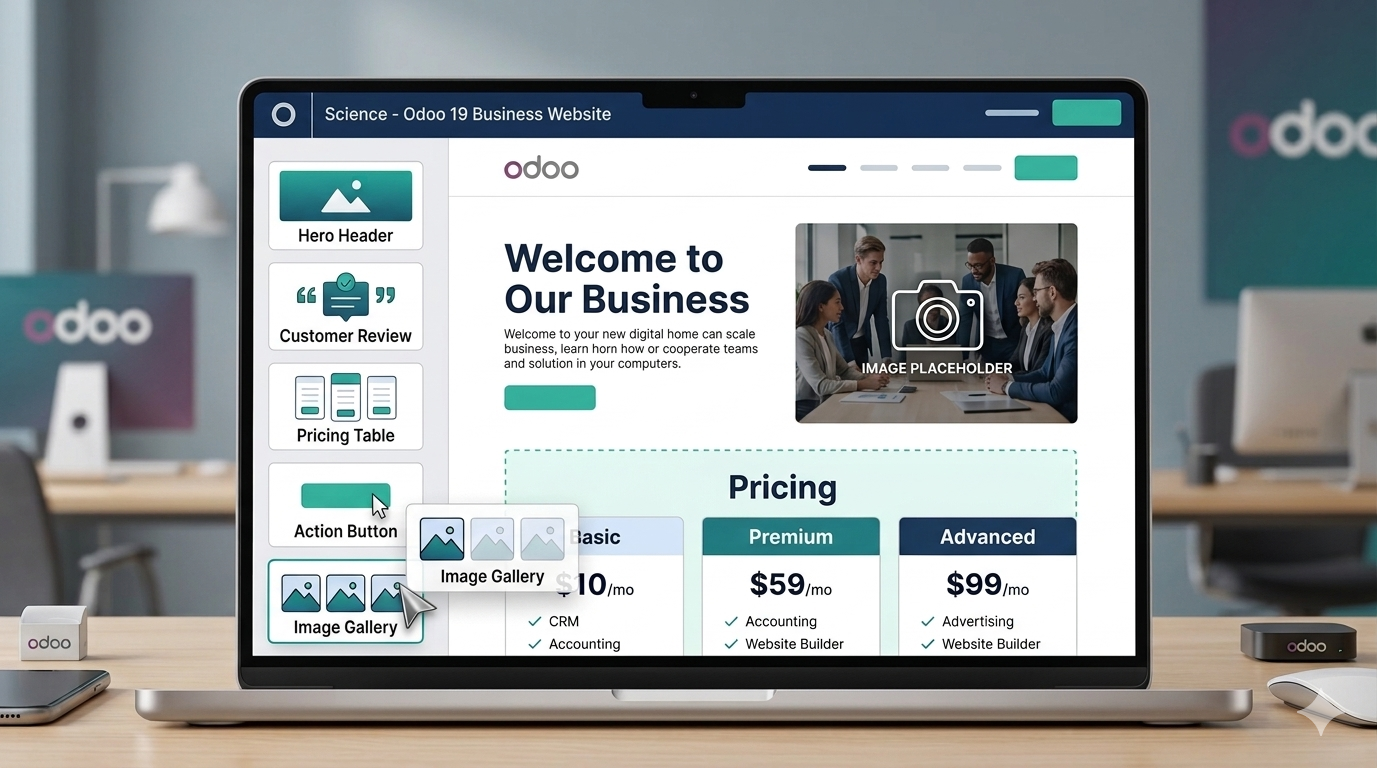
What Is Odoo Website Builder?
Odoo Website Builder is a drag-and-drop website app inside the Odoo platform. It combines AI-assisted page generation, a visual editor, built-in SEO, and automatic performance optimisation. Unlike standalone builders, it runs on the same database as the rest of Odoo's 50+ business apps.
Three things make the Odoo Website Builder stand out in the 2026 landscape:
-
AI-first setup A starter website is generated in under a minute from four inputs.
-
Native, not plugin-based Every feature is built by Odoo, so updates do not break third-party extensions.
-
One app free You can run a production site on Odoo Online at zero cost, hosting included.
How Odoo Website Builder Differs from Wix, Shopify, and WordPress
Odoo Website Builder is the only mainstream builder that is also an ERP component. Wix and Shopify are closed SaaS platforms. WordPress is open but relies on plugins for almost everything beyond content. Here's how they stack up on the points buyers actually ask us about.
← Scroll to see all columns →
| Feature | Odoo | Wix | Shopify | WordPress |
|---|---|---|---|---|
| AI site generation | ✓ | ✓ | Partial | ✗ |
| Free plan with hosting | ✓ | Limited | ✗ | Self-host |
| Open source code access | ✓ | ✗ | ✗ | ✓ |
| Built-in SEO panel | ✓ | ✓ | Basic | Via plugin |
| Automatic WebP optimisation | ✓ | ✓ | ✓ | Via plugin |
| Multi-website from one admin | ✓ | ✗ | ✗ | Multisite plugin |
| A/B testing native | ✓ | ✗ | ✗ | ✗ |
"The real win with Odoo is not design flexibility. It's that your site, your products, and your pricing rules live in one database."
Observed pattern across Tatvamasi Labs implementations
Core Features of the Odoo Website Builder
The Odoo Website Builder feature set breaks cleanly into two buckets: what helps you build the site faster, and what keeps it performing well once it's live. Both matter, and Odoo does not force you to add plugins for either.
Design and customisation
-
Website Configurator Answer 4 questions about your industry and brand. Get a ready-to-use site in under 60 seconds.
-
Drag-and-drop building blocks Pre-designed snippets for testimonials, pricing tables, hero headers, CTAs, FAQs, team bios, and more.
-
Smart colour presets Define brand colours once. Odoo applies them across every block while preserving contrast and readability.
-
Shape and animation tools Add static or animated shapes. Trigger on-scroll animations without writing CSS.
-
Google Fonts integration Access the full Google Fonts library from the editor. No manual font loading required.
-
Responsive by default Every block adapts to mobile, tablet, and desktop. Per-breakpoint tweaks are available when you need them.
💡 Pro tip. The building block library is extendable. You can create custom snippets and save them to reuse across pages or websites. See our notes on Odoo customisation for when custom blocks make sense.
Performance and technical SEO
-
Automatic image optimisation Images are resized, compressed, and converted to WebP on upload. Page weight drops without manual effort.
-
Native SEO panel Meta title, meta description, OG tags, and keyword targeting live on every page. No Yoast required.
-
Clean URL structure Lowercase, hyphenated, keyword-first URLs by default. Redirect management built in.
-
Structured data ready Schema markup for articles, products, FAQs, and events generates from page content automatically.
-
CDN and caching Odoo Online serves assets through a global CDN. Pages cache automatically. No plugin setup.
-
Core Web Vitals friendly Lazy loading, deferred JavaScript, and compressed assets ship by default. Lighthouse scores land in the 85–95 range on standard sites.
How the Odoo AI Website Configurator Works
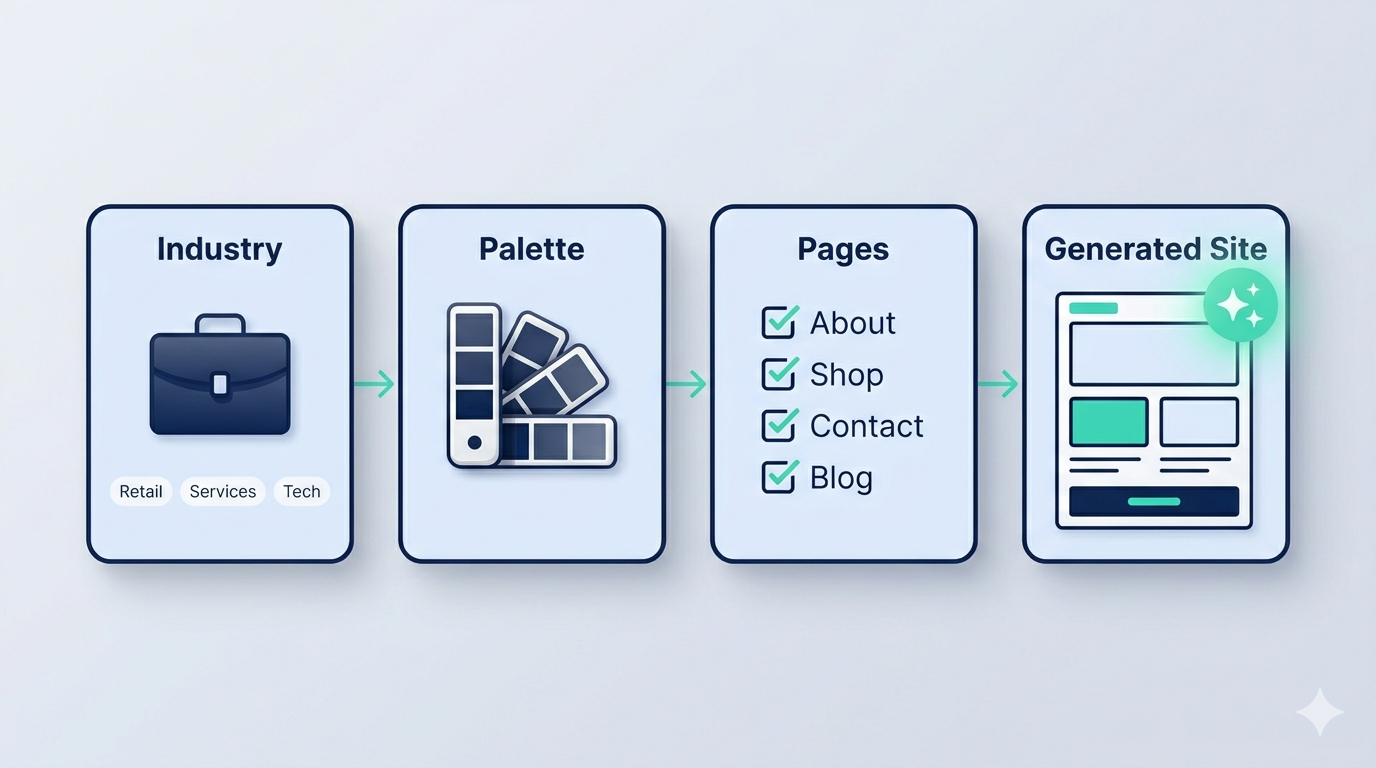
The AI Configurator is the fastest path from zero to a working site. It takes four inputs and produces a full page structure, copy, and imagery in under a minute. You then refine from there.
The Odoo AI Website Configurator generates a starter website in under 60 seconds using four inputs — industry, colour palette, required pages, and brand tone. The output is editable, not locked.
What the AI handles well
- Picking relevant hero images for your sector
- Writing serviceable placeholder copy per page
- Structuring common page types (About, Services, Contact, Pricing)
- Applying consistent colour and typography
- Writing final brand-voice copy (you still need a human pass)
- Building niche layouts that don't exist in the snippet library
⚠️ Watch out. The AI draft is a starting point, not a finished site. Teams who publish the AI output unchanged end up with copy that reads generic. Budget 3 to 5 hours of content editing per page for a production-ready site.
How to Build a Website with Odoo in 6 Steps
Setting up a site on the Odoo Website Builder is straightforward if you follow the flow. Here's the exact sequence we use when onboarding clients who are doing it themselves.
-
01
Choose your industry and business type. Launch the Website app and select your sector. Odoo uses this input to tailor layouts, images, and copy suggestions.
-
02
Pick your colour palette and fonts. Select a palette matching your brand. Pick typography from the Google Fonts library. Odoo applies these across every page.
-
03
Select the pages you need. Choose from About, Services, Shop, Careers, Contact, Blog, and others. Odoo builds only what you pick.
-
04
Let the AI Configurator draft your site. The AI generates a full first draft in under 60 seconds — structure, images, and placeholder copy.
-
05
Edit content, images, and SEO settings. Use the front-end editor to replace images, rewrite copy, add blocks, and fill in SEO metadata for every page.
-
06
Connect your domain and publish. Map your domain through Odoo settings. On Odoo Online, the first-year domain is free. Click Publish.
Need a partner to build or migrate your site?
Talk to our team about your Odoo website build. We scope in one call.
Marketing, Multi-Language, and Multi-Website Capabilities
Once your site is live, the Odoo Website Builder gives you marketing tools that usually require separate subscriptions elsewhere. These are the features that consistently surprise clients migrating from Wix or WordPress.
Multi-website from one admin
- Run up to 5 websites on a single database
- Separate domains, themes, and languages per site
- Shared content library when you want it
- Useful for brand families or regional sites
Multi-language publishing
- GeoIP-based automatic language switching
- Machine translation with human override
- SEO metadata per language version
- hreflang tags generated automatically
Other marketing features worth knowing
- →A/B testing is native. Run two versions of a page side by side without third-party tools.
- →Visitor analytics are built in. Page views, bounce rate, and referrer tracking come standard. Plug in Google Analytics if you need deeper data.
- →Cookie banner compliance is included. A GDPR-ready consent manager handles per-region rules automatically.
- →Pop-ups and exit intent are built in. Capture leads without installing a separate tool.
- →The form builder is included. Drag-and-drop forms route submissions wherever you want.
Developer-Friendly Features
Odoo Website Builder is aimed at non-coders, but it does not lock developers out. When we handle custom website work for clients, these are the hooks we actually use.
-
Integrated code editor HTML, CSS, and JavaScript editors accessible directly from the front-end. No separate dev environment needed for small tweaks.
-
Odoo Studio Create custom objects, fields, and front-end pages without writing backend code. Useful for listing pages that pull from Odoo records.
-
Bootstrap 5 under the hood Any front-end developer familiar with Bootstrap can customise Odoo themes. No proprietary framework to learn.
-
Full REST and XML-RPC API Push and pull data from the website to any third-party system. Relevant if you need external integrations tied to web activity.
-
Custom module support Write Python modules that extend the Website app cleanly. This is how we build true customisation versus configuration hacks.
Odoo Website Builder Pricing
Odoo uses a One App Free model. The Website Builder app is free forever on Odoo Online if you use nothing else. Adding a second app moves you to a paid plan. Here's how the plans break down.
| One App Free | Website app only. Free hosting. Free domain for year one. Ideal for brochure sites. |
| Standard | All Odoo apps. Per-user monthly pricing. Cloud-hosted. Suits businesses adding CRM, Sales, or more alongside the website. |
| Custom | Multi-company support, Odoo Studio, external API calls, self-hosting option. For larger setups. |
For the full breakdown including per-user pricing, hosting options, and what gets bundled at each tier, see our Odoo pricing guide. For implementation cost, which is separate from software licensing, see our implementation page.
When Odoo Website Builder Is the Right Choice
Odoo Website Builder is not the right tool for every site. We turn down as many requests as we take because the fit matters more than the feature list. Here's how to tell.
Good fit if you…
- Already use Odoo or plan to adopt it
- Want a site that stays in sync with your backend
- Run a standard marketing or eCommerce site
- Need multiple regional sites on one platform
- Want to cut plugin licence sprawl
Weaker fit if you…
- Need heavily custom page layouts per section
- Run a publisher-grade editorial site with 1,000+ articles
- Depend on a specific WordPress plugin with no Odoo equivalent
- Want a fully headless front-end with a custom React build
- Have no intention of using any other Odoo app
If you're in the weaker-fit column, WordPress or a headless stack may still be the better call. If you're in the stronger-fit column, you're likely leaving money on the table by not switching. When in doubt, a one-hour consultation will tell you which side you're on.
Ready to build your Odoo website?
We've shipped 80+ Odoo projects since 2019. We'll scope yours in one call.
Frequently Asked Questions
Prefer a quick chat? WhatsApp our team. We respond within the hour.
💬 Chat on WhatsApp
